iOS and Android apps
Cross-platform development in React Native or Flutter for one codebase on both platforms, and native Swift and Kotlin when you need maximum performance or special device features.
Mobile apps
We build mobile apps your customers and staff actually use: fast, stable and connected to your systems. From idea and design to release on the App Store and Google Play, and maintenance after launch.
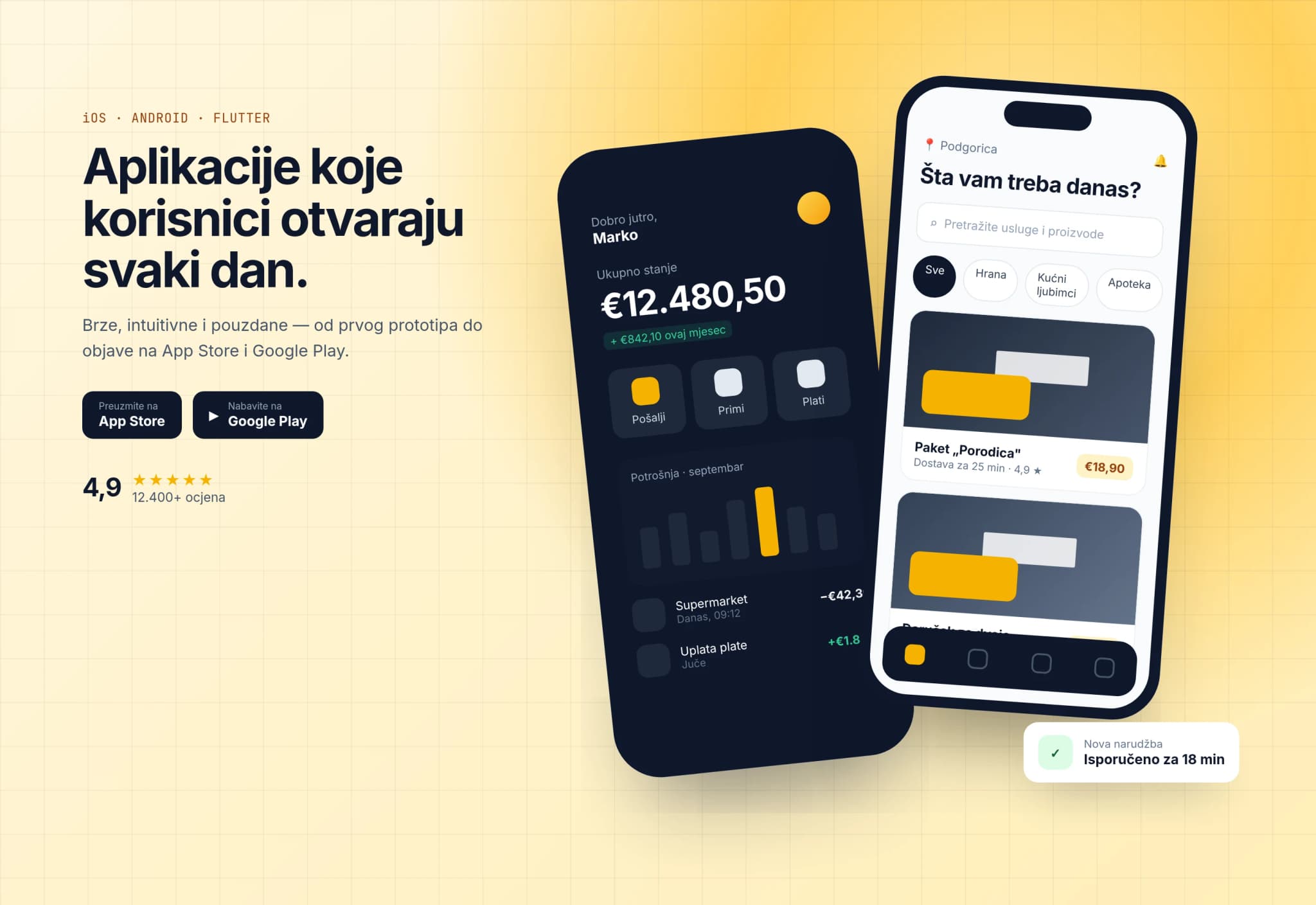
Live on App Store and Google Play
Offline sync ✓
Why an app
A mobile website is a good start, but when users come back daily, work without internet or need the camera and location, a real app makes the difference.
Orders, work orders, bookings and sign-ups still arrive by calls, messages and paper forms. Data is late, mistakes repeat and nobody has a clear overview.
Separate iOS and Android development needs two teams, double testing and twice the work for every new feature. Most business apps simply do not need that.
Apple and Google change their rules and OS versions every year. An app without a backend, crash monitoring and regular updates starts failing or disappears from the store.
What we build
We do not ship screens alone but a complete product: the app, server, admin panel and integrations, ready for real users.
Cross-platform development in React Native or Flutter for one codebase on both platforms, and native Swift and Kotlin when you need maximum performance or special device features.
The app keeps working without signal: data is stored locally and synced with the server once the connection returns, with conflict resolution. Ideal for field work, warehouses and travel.
Targeted notifications about orders, appointments, offers and status changes, with user segmentation, scheduled sending and open-rate tracking.
Card payments, Apple Pay and Google Pay, subscriptions and in-app purchases, with Face ID, fingerprint or one-time code sign-in and encryption of sensitive data.
Map views, route tracking, geofencing alerts, QR and barcode scanning, photo capture and document scanning right inside the app.
An assistant that answers from your knowledge base, document recognition and computer vision for photos, running on our own fine-tuned models on the device or on your private server.
How it works
What users see on their phone relies on a server, administration and integrations. We build every layer, so there is no finger-pointing between vendors.
An iOS and Android app with a local database for offline use, secure sign-in and access to camera, location and notifications.
Encrypted communication, authentication and a versioned API, so older app versions keep working after updates.
A server with the business logic and a web panel where your team manages content, users, orders and notifications.
Connections to your ERP, CRM, payment provider, couriers and existing databases.
Automated builds, test versions for your team and release to both stores, with crash reporting and usage analytics.
Use cases by industry
Every industry has its own workflows. Here is where a mobile app saves time and drives revenue fastest.
Retail and e-commerce
Customers order in a few taps, track delivery and receive personalised offers, while you get a direct channel without paying for ads.
Tourism and hospitality
From booking to check-out, guests get all the information in their language, even without roaming or Wi-Fi.
Transport and logistics
Drivers receive routes and jobs in the app and confirm delivery on the spot, while dispatch and customers see the status in real time.
Healthcare and wellness
Patients and clients book appointments themselves, get reminders and access their data securely, while staff spend less time on the phone.
Field service
Technicians, inspectors and sales reps work in the app even without signal, and data reaches your ERP as soon as the phone reconnects.
Real estate and marketplaces
Sellers publish listings straight from their phones, and buyers are notified the moment something they want appears.
From our work
These projects are not standalone store apps, but they show the same things we build in mobile development: camera workflows, server-side AI processing and an API that serves several clients.

Gepek
Workflows users complete from their phones: vehicle photos become a draft listing and vehicle documents are scanned and read automatically, with separate panels for buyers, dealers and administrators.

BusTicket AIClient project
A backend and API with an AI agent that searches routes and answers in four languages, the same layer a passenger mobile app can rely on, plus an operator panel.
Packages and pricing
Starting prices for the most common project types. The exact figure depends on the number of screens, integrations and the backend the app needs.
from €1,500one-off, based on scope
To validate an idea or ship a simple app on one platform.
Most popular
from €3,000one-off, based on scope
The most popular choice: one app for iOS and Android with all key features.
from €6,000one-off, based on scope
For complex business apps with their own backend and integrations.
Prices are starting points. After a workshop you receive a written proposal with a fixed price per phase. Developer account fees (Apple USD 99 per year, Google Play USD 25 one-off) and server hosting are not included. All pricing
Comparison
There is no single right approach. This is the honest comparison we walk through with clients before a project starts.
| Criterion | ProCode cross-platform | Two separate native apps | No-code builder |
|---|---|---|---|
| One codebase for iOS and Android | Yes | No | Yes |
| Performance and animations | Near-native | Best | Limited |
| Camera, location, biometrics, Bluetooth | Yes | Yes | Partly |
| Offline mode and sync | Yes | Yes | Partly |
| Integration with your ERP and CRM | Yes | Yes | Partly |
| Source code ownership | Yes | Yes | No |
| Development and maintenance cost | Medium | Highest | Low at first, grows with subscriptions |
| Time to market | 8–16 weeks | Slower, two parallel builds | Fastest for simple apps |
Process
We work in short cycles, and every two weeks you get a build you can install and try on your own phone.
Step 1 · 1–2 weeks
We define users, key features, integrations and a first version that delivers value, then you get a specification and a fixed quote.
Step 2 · 2–3 weeks
We map flows and screens and build a clickable prototype you test with real users before any code is written.
Step 3 · 4–10 weeks
The app, backend and admin panel are built in parallel, and you receive test builds through TestFlight and Google Play internal testing.
Step 4 · 1–2 weeks
We test on real iOS and Android devices, different screen sizes, weak signal and older OS versions.
Step 5 · 1 week, then ongoing
We prepare store listings, pass Apple and Google review, monitor crashes after launch and plan the next versions.
Technology
We choose technologies with long-term support and large communities, so your app never depends on a single developer.
Guide
Before you spend the budget, it pays to understand what drives the cost, which development approach fits your project and what happens after release. These are the questions businesses in Montenegro and across Europe ask us most often.
Three things drive the price: the number of screens and flows, the amount of business logic and whether the app needs its own backend. A simple single-platform app with a few screens and data from an existing API starts at €1,500. An iOS and Android app with sign-in, push notifications, offline mode and analytics starts at €3,000, and business apps with a backend, admin panel and integrations at €6,000.
Beyond development, plan for running costs: an Apple developer account is USD 99 per year, a Google Play account USD 25 one-off, and backend hosting depends on your user count. The biggest mistake is budgeting only for version one. Good apps evolve in phases, so we recommend splitting the budget between a first release and a few months of improvements based on real usage.
Price is also shaped by decisions that are easy to overlook: whether the app needs several languages, whether users have different roles and permissions, whether a tablet layout is required and whether data must stay on EU servers. That is why we run a short workshop before quoting and go through these items one by one. You get a specification with a feature list, a per-phase estimate and clear boundaries for version one, so the budget does not shift mid-project.
Native apps are written separately for each platform, in Swift for iOS and Kotlin for Android. They offer the best performance and immediate access to new OS features, but mean two codebases, two builds and higher maintenance costs.
Cross-platform frameworks, React Native and Flutter, let most of the code be shared across both platforms. For the vast majority of business apps, such as shops, bookings, field and loyalty apps, the speed difference is invisible to users, while development and maintenance cost far less.
The decision should follow features, not trends. If the app relies heavily on Bluetooth devices, real-time video processing or advanced system widgets, going native saves time later. If the focus is forms, lists, maps, payments and notifications, cross-platform delivers the same quality for less money. It also matters who will maintain the app: one team with one codebase keeps both platforms in step and ships new features to iOS and Android on the same day.
Users only see screens, but there is much more behind them. Most apps need a server that stores data and runs business logic, an admin panel where your team manages content and users, a notification system and connections to existing software, from ERP and CRM to payment and courier services.
That is why we start every project by mapping the whole system, not just designing screens. Everyone knows upfront what gets built, what it costs and who is responsible for what, and you do not have to coordinate three different vendors.
We pay particular attention to security and privacy. Communication between app and server is encrypted, sensitive data on the device lives in the system's protected storage, and access is controlled with roles and short-lived tokens. For businesses that process personal data we align the app with GDPR: we state clearly what data is collected, allow account deletion from inside the app, as both Apple and Google require, and keep access logs.
Every app goes through review before release. Apple checks the app against its guidelines, which usually takes one to a few days, and the most common rejection reasons are an unclear privacy policy, incomplete data collection disclosures and features that cannot be tested without a demo account. Google Play review is usually faster, but new personal developer accounts must run a closed test before public release.
We prepare everything the stores require: a title and description optimised for store search, screenshots, the icon, a privacy policy, data safety declarations and demo accounts for reviewers. The app is published on your developer account, so you own it from day one.
After the first release, new versions move much faster. We use automated builds and staged rollouts to a small share of users first, so any issue is caught before it reaches everyone. For internal apps that should not be public there are private distribution channels, so only your employees receive the app, with no public store page.
A mobile app is not finished on release day. Apple and Google ship new OS versions and change requirements every year, and apps that are not updated eventually stop meeting store rules or start behaving unexpectedly on new devices.
Maintenance covers crash and error monitoring, library and security updates, adapting to new iOS and Android versions and small changes based on user feedback. Analytics shows where users drop off, so we plan the next versions on data rather than assumptions.
We recommend agreeing on maintenance together with development, with a defined response time for critical bugs and a monthly pool of hours for small changes. That way the app never waits months for a fix because no team is on contract. Every few months we also run a short review of what users rely on most, where errors occur and which features are worth adding, so the app keeps serving your business goals.
AI in an app makes sense when it shortens the user's work: an assistant that answers from your knowledge base, a form filled automatically from a document photo, or computer vision that recognises a product, damage or a licence plate.
For this we use our own fine-tuned models. Smaller models run directly on the phone, so they work offline and send data nowhere, while heavier tasks are processed on your private server. Your users' data stays under your control.
A good AI feature starts with data. We adapt the model on examples from your business, such as your documents, product photos or typical customer questions, and measure accuracy before it goes into the app. When the model is unsure, the app says so clearly and leaves the decision to the user or an operator. That way AI speeds work up instead of creating new mistakes someone has to fix later.
FAQ
If your question is not answered here, write to us and we will reply within one business day.
A simple single-platform app starts at €1,500, an iOS and Android app with push notifications, offline mode and analytics at €3,000, and business apps with a backend, admin panel and integrations at €6,000. The final price depends on screens, integrations and business logic. After a short workshop you receive a written proposal with a fixed price per phase and no hidden costs. If budget limits the scope, we propose a first version with the most important features and a plan for later phases rather than cutting quality.
Most projects take 8 to 16 weeks from a signed specification to store release. A simpler app can be ready sooner, while complex systems with many integrations take longer. We work in two-week cycles and you get a test build on your phone each time, so you follow progress live, not only through reports. The timeline depends most on how quickly we get your feedback and on the availability of APIs for the systems the app connects to.
Yes. We usually use React Native or Flutter, so one codebase covers both platforms and lowers development and maintenance costs. When an app needs maximum performance or special device capabilities, we write native Swift and Kotlin code, either as a full app or as modules inside a cross-platform app. We recommend an approach after the workshop and explain how the choice affects price, timeline and future maintenance.
Yes, and we recommend it. The server, API and web administration are built by the same team as the app, so there is no coordination between multiple vendors. If you already have a system with an API, we connect the app to it; if there is no API, we propose the safest way to add one. The admin panel is tailored to your team, with roles and permissions, so everyone sees only what they are responsible for.
It can. We store data in a local database on the device, so users can browse content, fill in forms and take photos without signal. When the connection returns, the app syncs changes with the server automatically and handles cases where two people edited the same record. We define upfront which features must work offline, because that shapes the app's architecture and price.
We handle the whole process: descriptions, screenshots and icon, privacy policy, data collection declarations and demo accounts for reviewers. The app is published on your developer account, and if a store rejects it, we fix the issues and resubmit that version at no extra charge. If you do not have developer accounts yet, we help you open company accounts and complete verification with Apple and Google.
You do. After payment we hand over the full source code, access to the repository, servers and accounts, and documentation. The app is published on your developer account and user data belongs to you, so you can continue development with us or another team at any time. There is no lock-in to our systems and no licences you have to keep paying to go on using the app.
Our monthly maintenance covers crash monitoring, library and security updates, adapting to new iOS and Android versions and small changes. Larger new features are planned as separate phases with a clear price. That keeps the app compliant with store rules and working on new devices. The monthly fee depends on the size of the app and the agreed response time, and is set out in the proposal alongside development.
Yes. We build assistants that answer from your knowledge base, document recognition from photos and computer vision for recognising products or damage. We use our own fine-tuned models running on the device or on your private server, so user data is never sent to third parties. Before launch we measure model accuracy on your own examples and only release the feature to users once it delivers reliable results.
It depends on your users. If people visit occasionally and from a computer, a good website or progressive web app is the more sensible start. An app wins when users come daily, work in the field or offline, or need the camera, location and push notifications. In the workshop we assess together what gives you more for the same budget. A backend built for the web later serves the app too, so nothing you invest is wasted.
Related services
Tell us what you want users to do on their phones. Within two business days you get a proposed approach, a rough timeline and a price.